
The short answer
Intel MacBooks still work, but they have stopped moving forward. macOS 27 Golden Gate, released on 14 September 2026, runs only on Macs with Apple silicon, so no Intel Mac can install it.
Your MacBook will not switch off or lock you out. What changes is the future: no new features, a limited window of security updates, and gradually fewer apps and repairs. If you own an Intel MacBook, you have time to decide what to do with it, but it is worth deciding on purpose and not by accident.
What actually changed in 2026?
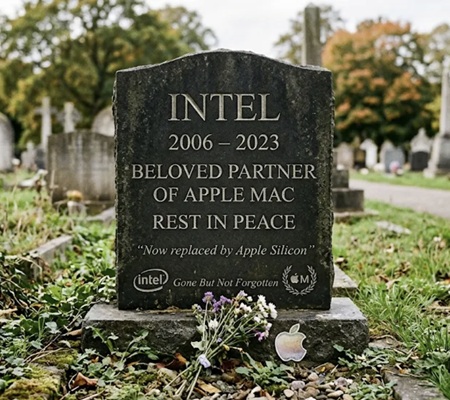
Two things happened within weeks of each other, and together they close the Intel chapter that began in 2006.
The software door closed. macOS 26 Tahoe was the last version of macOS to run on Intel processors. Its successor, macOS 27 Golden Gate, needs an M1 chip or newer, or the A18 Pro chip in the MacBook Neo. Four Intel Macs that could run Tahoe were left behind, including two MacBook Pro models.
The repair door started closing too. On 31 August 2026 Apple moved the 13-inch MacBook Pro from 2017 and 2018 and the 2018 Retina MacBook Air onto its obsolete list. Every Intel MacBook is now classed as either vintage or obsolete, which limits what Apple will repair.
None of this was a surprise. Apple announced the move to its own chips in 2020 and confirmed in 2025 that Tahoe would be the final Intel release. Six years is a long goodbye by technology standards.
Which MacBooks are affected?
Any MacBook with an Intel processor is affected, and how much depends on its age. To check yours, open the Apple menu and choose About This Mac. If the line reads “Chip” followed by Apple M1 or later, you are unaffected. If it reads “Processor” followed by Intel, find your model below.
| MacBook | Newest macOS it can run | Where it stands in late 2026 |
| MacBook Air and Pro with Apple silicon (late 2020 onwards), MacBook Neo | macOS 27 Golden Gate | Fully supported |
| MacBook Pro 16-inch (2019); MacBook Pro 13-inch (2020, four Thunderbolt ports) | macOS 26 Tahoe | Security updates only |
| MacBook Air (2020, Intel); MacBook Pro (2018 and 2019, except the 16-inch); MacBook Pro 13-inch (2020, two Thunderbolt ports) | macOS 15 Sequoia | Final year of security updates |
| MacBook Air (2018 and 2019) | macOS 14 Sonoma | No longer updated |
| MacBooks from 2017 and earlier | macOS 13 Ventura or older | No longer updated |
The year refers to the model, not when you bought it. A MacBook sold new in 2021 can still be a 2019 model.
Will my Intel MacBook stop working?
No. An Intel MacBook carries on exactly as it did the day before Golden Gate arrived. Your files, apps and settings are untouched. The change is gradual, and it shows up in three places.
Security updates
Apple has said Intel Macs will keep receiving security updates for three years, without naming an end date. Commentators read that as cover until some point between late 2028 and 2029. That only applies to Macs running a version Apple still patches, which today means Tahoe and, for one more year, Sequoia.
Security updates matter more than new features. A laptop that no longer receives them is still fine for writing and offline work, but it becomes a growing risk for banking, shopping and email.
Apps
App makers follow Apple’s lead. Browsers and big-name apps usually support older macOS versions for a few years, then stop. Apple has also said macOS 28 will remove most of Rosetta, the tool that lets Apple silicon Macs run Intel apps. Developers now have little reason to keep building Intel versions.
Repairs: vintage and obsolete
Apple uses two labels for older hardware:
- Vintage means Apple stopped selling the product between five and seven years ago. Repairs are possible if parts are available.
- Obsolete means more than seven years. Apple offers almost no hardware service, apart from battery replacement on laptops for up to ten years, again depending on parts.
Independent repairers can often help after Apple stops, but parts get scarcer and pricier with each year.
What can you do with an older MacBook?
There is no single right answer. It depends on what the laptop is used for and how much life is left in it. These are the five realistic options.
Keep using it. If your MacBook runs Tahoe or Sequoia, it is still being patched. Install every update, keep your browser current and carry on. This is the cheapest and greenest choice for as long as it lasts.
Give it a second job. An unsupported MacBook makes a good offline machine: a writing laptop, a kitchen recipe screen, a music player, a home for old photo libraries. Some owners install Linux or ChromeOS Flex to get a supported system on old hardware, though that takes patience.
Pass it on. A relative with light needs may be glad of it. Be honest about its limits, and erase it properly first.
Trade it in. Used Macs hold their value better than most laptops, but prices tend to slip as software support ends. If you plan to trade in, sooner usually beats later. Apple and some retailers give credit towards a new purchase. Selling privately can fetch more, but takes more effort and carries more risk. For cash without the haggling, you can use a buy-back service such as Macback for a fixed quote and collection.
Recycle it. A MacBook that will not power on still contains aluminum, copper, cobalt and gold. In the UK, council recycling centers and many electrical retailers accept old laptops. Never put one in household waste: the battery is a fire risk.
The one option worth avoiding is the drawer. A laptop left unused loses value every year, its battery degrades, and the data on it stays unprotected.